
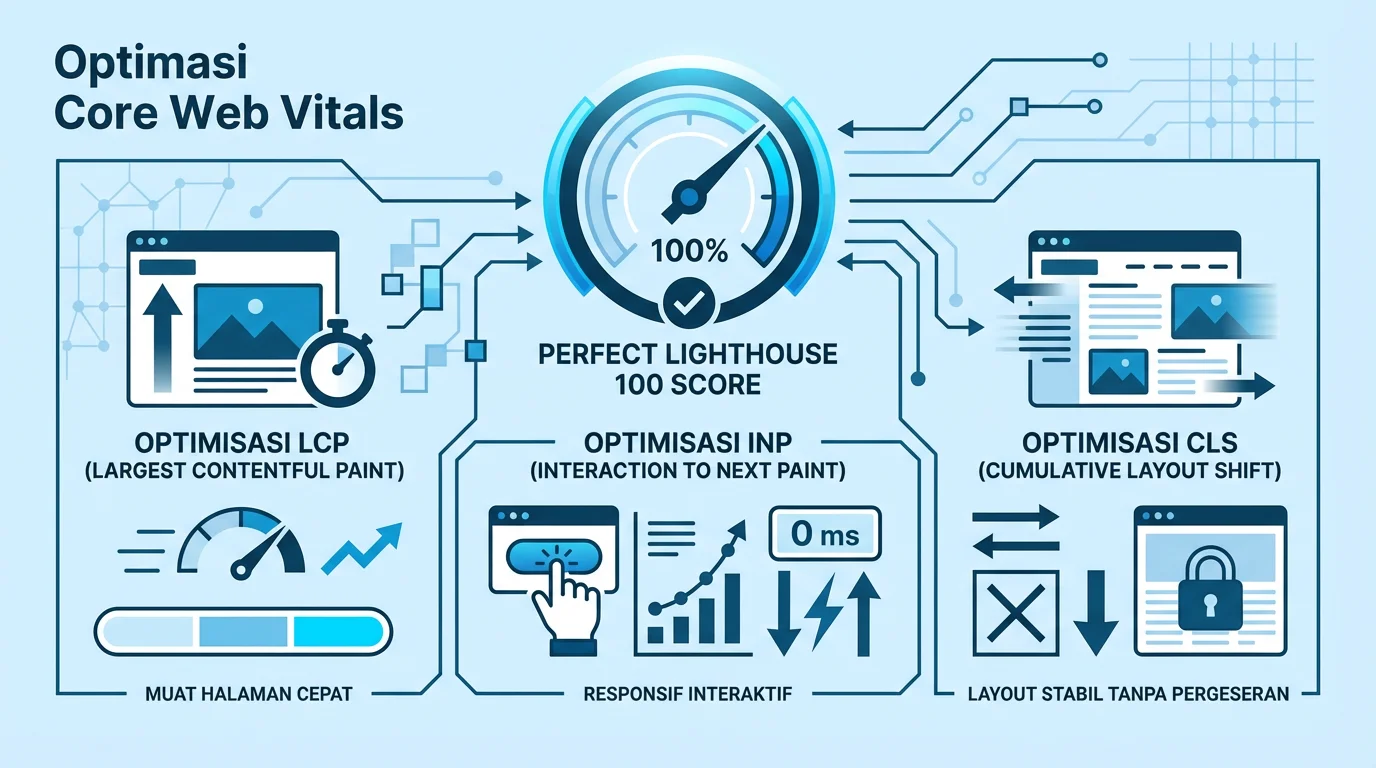

Capai skor Lighthouse 100 di semua metrik Core Web Vitals.
Core Web Vitals adalah metrik performa yang digunakan Google sebagai faktor ranking. Website yang cepat = UX bagus = ranking lebih baik.
- LCP (Largest Contentful Paint): Waktu render elemen terbesar
- INP (Interaction to Next Paint): Responsivitas interaksi (menggantikan FID)
- CLS (Cumulative Layout Shift): Stabilitas visual layout
Target Skor
| Metrik | Good | Needs Improvement | Poor |
|---|---|---|---|
| LCP | ≤ 2.5s | 2.5s - 4s | > 4s |
| INP | ≤ 200ms | 200ms - 500ms | > 500ms |
| CLS | ≤ 0.1 | 0.1 - 0.25 | > 0.25 |
Cara Mengukur Core Web Vitals
1. Lighthouse (Lab Data)
Atau gunakan DevTools → Lighthouse tab.
2. PageSpeed Insights (Field + Lab Data)
Buka pagespeed.web.dev dan masukkan URL. Ini menunjukkan data real user (jika ada).
3. Chrome DevTools Performance Tab
Untuk analisis detail, gunakan Performance tab di DevTools. Record page load dan analisis waterfall.
Optimasi LCP (Largest Contentful Paint)
LCP mengukur kapan elemen terbesar (biasanya hero image atau headline) selesai render.
Penyebab LCP Lambat
- Server response time lambat
- Render-blocking resources (CSS, JS)
- Resource load time (font, gambar besar)
- Client-side rendering
Solusi
Optimasi Server Response
- Gunakan CDN (Cloudflare, Vercel Edge)
- Enable caching (Cache-Control headers)
- Gunakan static generation daripada SSR jika memungkinkan
Eliminate Render-Blocking Resources
CSS:
<!-- Inline critical CSS -->
<style>
  /* Critical CSS here */
</style>

<!-- Defer non-critical CSS -->
<link rel="preload" href="styles.css" as="style" onload="this.onload=null;this.rel='stylesheet'">
JavaScript:
<!-- Defer non-critical JS -->
<script src="app.js" defer></script>

<!-- Or async for independent scripts -->
<script src="analytics.js" async></script>
Preload LCP Resource
Identifikasi LCP element dan preload resource-nya:
<!-- Preload hero image -->
<link rel="preload" href="/hero.webp" as="image" fetchpriority="high">

<!-- Preload font -->
<link rel="preload" href="/fonts/main.woff2" as="font" crossorigin>
Optimasi Gambar
- Gunakan format modern (WebP, AVIF)
- Responsive images dengan srcset
- Lazy loading untuk below-the-fold images
- Specify width dan height
<img
  src="hero.webp"
  alt="Hero"
  width="1200"
  height="600"
  loading="eager"
  fetchpriority="high"
>
Optimasi INP (Interaction to Next Paint)
INP mengukur seberapa cepat website merespons interaksi user (click, tap, keyboard).
Penyebab INP Buruk
- Long tasks (JavaScript > 50ms)
- Heavy event handlers
- Excessive DOM size
- Third-party scripts
Solusi
Break Up Long Tasks
Gunakan setTimeout atau requestIdleCallback untuk memecah tugas besar:
// Buruk - blocking
function processData(items) {
  items.forEach(item => heavyOperation(item));
}

// Bagus - chunked
async function processDataChunked(items) {
  const chunks = splitIntoChunks(items, 100);
  for (const chunk of chunks) {
    chunk.forEach(item => heavyOperation(item));
    await yieldToMain();
  }
}

function yieldToMain() {
  return new Promise(resolve => setTimeout(resolve, 0));
}
Debounce Event Handlers
// Untuk input events
const debouncedSearch = debounce(handleSearch, 300);
input.addEventListener('input', debouncedSearch);

function debounce(fn, delay) {
  let timeoutId;
  return (...args) => {
    clearTimeout(timeoutId);
    timeoutId = setTimeout(() => fn(...args), delay);
  };
}
Reduce DOM Size
- Target: < 1,500 total elements
- Gunakan virtual scrolling untuk list panjang
- Lazy load content yang tidak visible
Defer Third-Party Scripts
Load third-party scripts setelah main content:
<!-- Load after page is interactive -->
<script>
  window.addEventListener('load', () => {
    const script = document.createElement('script');
    script.src = 'https://third-party.js';
    document.body.appendChild(script);
  });
</script>
Optimasi CLS (Cumulative Layout Shift)
CLS mengukur seberapa banyak layout bergeser saat loading.
Penyebab CLS Buruk
- Gambar tanpa dimensi
- Ads/embeds tanpa reserved space
- Font loading menyebabkan FOUT/FOIT
- Dynamic content insertion
Solusi
Always Set Dimensions
<!-- Selalu specify width dan height -->
<img src="photo.jpg" width="800" height="600" alt="Photo">

<!-- Atau gunakan aspect-ratio CSS -->
<style>
  .image-container {
    aspect-ratio: 16 / 9;
  }
</style>
Reserve Space untuk Ads
.ad-container {
  min-height: 250px; /* Setinggi ad unit */
  background: #f0f0f0;
}
Optimasi Font Loading
/* Gunakan font-display: swap untuk FOUT */
@font-face {
  font-family: 'CustomFont';
  src: url('/fonts/custom.woff2') format('woff2');
  font-display: swap;
}

/* Atau optional untuk less critical fonts */
@font-face {
  font-family: 'DecorativeFont';
  src: url('/fonts/decorative.woff2') format('woff2');
  font-display: optional;
}
Preload font untuk mencegah delay:
<link rel="preload" href="/fonts/custom.woff2" as="font" crossorigin>Avoid Inserting Content Above Existing
- Jangan insert banner di atas content yang sudah ada
- Gunakan skeleton loading dengan ukuran yang sama
- Animasi transform, bukan top/left
Checklist Performance
| Item | Status |
|---|---|
| Hero image preloaded | ☐ |
| Critical CSS inlined | ☐ |
| JS deferred/async | ☐ |
| Images dengan width/height | ☐ |
| Font dengan font-display | ☐ |
| Third-party scripts deferred | ☐ |
| No layout shifts | ☐ |
| Event handlers optimized | ☐ |
Tools Monitoring
- Chrome DevTools - Performance tab untuk deep analysis
- PageSpeed Insights - Quick check dengan field data
- web.dev/measure - Detailed recommendations
- CrUX Dashboard - Real user metrics over time
Kesimpulan
Mencapai skor Lighthouse 100 butuh effort, tapi impact-nya signifikan untuk UX dan SEO. Fokus pada:
- LCP - Preload critical resources
- INP - Optimize JavaScript execution
- CLS - Reserve space untuk async content
Cek Performa Website Kamu
Gunakan PageSpeed Insights untuk melihat skor dan rekomendasi.

Membangun ekosistem digital yang edukatif melalui Sitemas. Berfokus pada inovasi teknologi, AI, dan pengembangan konten kreatif yang berdampak.
Komentar